Customer Management
Every customer's address, price, how often they're cleaned, notes, job history and payments, together on your phone. No more notebooks, spreadsheets or trying to remember who's got the side gate code.
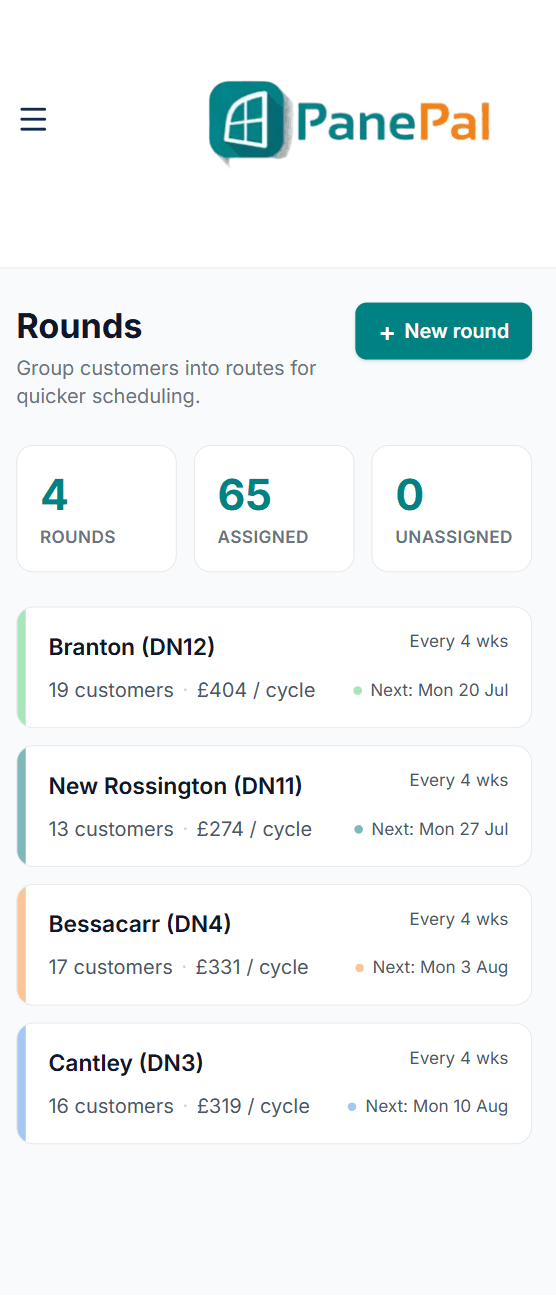
Customers grouped into rounds, with what each round earns per cycle.
Customer Management, step by step
Add customers in seconds
Name, address, price and how often. If their postcode matches one of your rounds, PanePal suggests that round, so they land in the right place with one tap.
Bring your existing list with you
Import your customers from a spreadsheet instead of typing them in one by one, then put them onto rounds by postcode. No spreadsheet? Send us your list — even a photo of your round book — and we'll set it up for you.
Their full history, always to hand
Past cleans, invoices and payments sit on each customer's record. Archive someone who cancels and their history is kept, ready if they come back.
A portal for your customers
Invite customers to their own PanePal app, where they can see and pay their invoices and read your terms — and, on Premium, rate their cleans and earn referral and loyalty rewards.
What it's worth
Everything about a customer is one tap away — on the doorstep, in the van, or answering a call at home.
More of what PanePal does every day
Scheduling
Rounds, your day in order, and the quickest route, sorted.
Invoicing & Payments
Get paid faster, chase less.
Customer Messaging
Contact customers by text or by using our built-in chat feature.
Expenses
Track spend without a spreadsheet.
Your Own Website
A free web page for your business — or connect your own — that turns enquiries into customers.
Your PanePal Assistant
Tap the P button and PanePal tells you the most useful thing to do next — to grow the business or keep it organised.
Ready to grow your window cleaning business?
Start your 14-day free trial today — no card needed.